


KashKick: Get paid to have fun
4.516.37K Reviews
App Specs
- Version
- 1.1.45
- Updated On
- License
- Free
- Downloads
- 5,000,000+
- Developer
- Besitos Corporation LLC
- Categories
- Lifestyle
- Platform
- Android, iOS
Screenshots

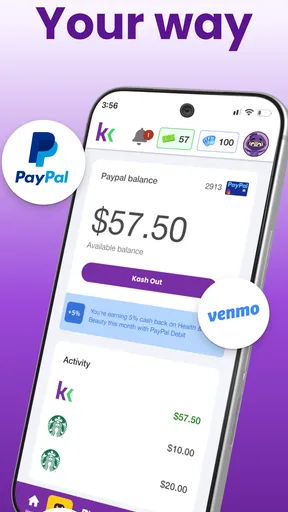

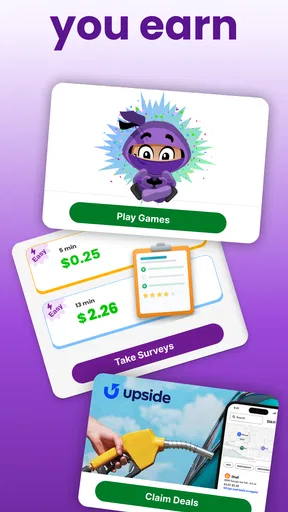
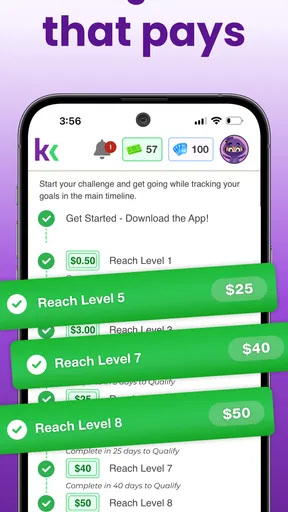
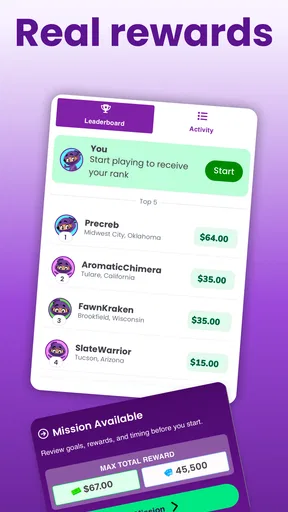
 Analysis by AppCompare
I approached KashKick as a small-rewards lifestyle app rather than a conventional game. Its appeal is straightforward: it brings game offers, surveys, and app-testing tasks into one place, giving me different ways to earn rewards from a phone. That variety matters because a survey may suit a quiet few minutes, while a game offer can occupy a longer break. The experience is free, but it is intended for a mature audience aged 17 and over, so it is not something I would casually hand to a younger family member.
After spending time with it, my impression is that the main challenge is not understanding the interface. The bigger question is whether I can use it patiently and consistently enough to make the small tasks worthwhile. KashKick is best viewed as a way to turn spare attention into occasional rewards, not as a dependable income source. That distinction shaped almost every part of my experience, especially when my internet connection was weak or when I had to move between several apps to complete an offer.
How KashKick fits into everyday reward hunting
Besitos Corporation LLC released this lifestyle app on August 10, 2023, and it has grown into a widely used option, with over 5 million installs. Its average score sits at 4.5 from around 132 thousand ratings, which suggests that many people find the basic idea useful even though reward apps naturally produce different experiences for different users.
The app is free to install and use. I did not see it as a replacement for a normal job; I saw it as a filter for spare moments. If I already had my phone nearby, I could browse available opportunities instead of opening another social feed. The value came from choosing tasks carefully, not from accepting everything that appeared.
The current version is 1.1.45 and requires Android 10 or later. That requirement is worth checking before downloading, particularly if you keep an older phone as a secondary device. The app is also listed for a mature audience, which is another practical detail parents should consider before allowing access.
What makes KashKick more interesting than a single-purpose survey app is the combination of task types. Surveys can be relatively direct, game-related offers may require more time, and app-testing activities can involve installing or trying something outside KashKick. Each option carries a different trade-off between effort, attention, and connectivity.
Choosing tasks by time, not by headline reward
My most useful habit was to stop judging an offer by its displayed reward alone. A task that looks attractive can become poor value if it requires repeated sessions, a large download, or progress that is difficult to verify. I started asking three questions before beginning: how long might this take, how much mobile data could it use, and can I realistically finish it on the same device?
Worth Reading Before You Choose

EA SPORTS FC Mobile 26 Is a Bigger Football Game, but It Takes Time

Flipboard Shows What News Apps Must Do Beyond the Feed

Switching to Android Auto Means Rethinking Your Driving Routine

Google Calendar Makes a Crowded Week Easier to Manage

Ludo King Makes the Most of the Minutes Between Plans

Baby Panda World Brings Quick Play to Modern Phones, but Its Game Library Feels Busy
That simple check prevented a common mistake: starting a task during a short break and then abandoning it when the required app needed more time. A survey is often easier to fit between errands, while a game-based offer makes more sense when I know I can return to it repeatedly. Treating the task list like a schedule rather than a prize board made the whole experience less frustrating.
I also recommend reading the task instructions before switching away from KashKick. When an offer depends on an action in another app, the order of installation and launch can matter. I would not assume that opening an app casually will count toward an offer. Following the displayed instructions carefully is a better approach than trying to reconstruct what happened later.
Where the internet connection changes the experience
KashKick depends heavily on communication with its online service and with the outside apps involved in some offers. Browsing tasks, loading survey questions, sending responses, and updating progress all work best with a stable connection. I found that a weak signal changes the experience from quick and practical to uncertain, particularly when I was trying to move between the reward app and a third-party task.
This is especially noticeable on public Wi-Fi. A network may appear connected while still being slow enough to delay a page or interrupt a handoff to another app. In that situation, I would avoid starting a time-sensitive survey. Losing a few minutes to a loading screen is annoying; losing the context of an offer can be worse because I may not immediately know whether my progress was recorded.
Game offers create a different network problem. Even when the actual play feels simple, the initial installation, account connection, progress checks, or later updates may require reliable access. I learned to begin those tasks only when I had a dependable connection and enough battery. Starting one while walking between locations is a poor strategy, because the task may involve several transitions rather than one uninterrupted screen.
My practical rule is simple: do not begin an important offer on a connection you would not trust for a payment or account sign-in. That does not make the app difficult, but it acknowledges that reward tracking is more sensitive than ordinary browsing. A delayed feed is harmless; an unclear task status deserves more caution.
Using it on a phone during real-life interruptions
The mobile format suits short gaps in the day, but it also exposes the app to interruptions. Calls, notifications, low battery, commuting, and switching between apps can all break concentration. Surveys are the easiest to fit into these moments, although I still prefer completing them when I can read the questions without rushing.
For game offers, I found that a repeatable routine works better than random play. I would choose one offer, note what the task expects, and return to that same activity instead of opening several offers at once. This reduces the chance of confusing which app belongs to which reward and makes it easier to notice whether progress is moving forward.
A useful mobile workflow is to reserve longer tasks for home Wi-Fi and use surveys only when I am away from home. That separates data-heavy or installation-heavy activity from casual use. It also protects my phone plan from unexpected downloads. If I were using a limited data allowance, I would be particularly selective about game and app-testing offers.
Screen size matters too. Reading a long survey on a small phone can be tiring, and hurried answers may lead to mistakes or disqualification. I would rather complete fewer surveys carefully than tap through many while distracted. KashKick rewards attention, even though the tasks themselves may look casual.
What to do when a task appears stuck
Reward apps can feel stressful when an action seems complete but the balance or status does not change immediately. My first response was to avoid repeating the task. Reinstalling, restarting, or opening the same offer in a different way may make the record harder to understand. Instead, I would check the offer instructions, confirm that the external app had finished loading, and give the connection a moment to catch up.
If the app closes during a survey, I would reopen KashKick and look for the task before starting another one. If a game offer is interrupted, I would return through the same device and account rather than switching phones. Consistency is important when an external activity is being connected to a reward account.
Another recovery habit is to keep a brief personal note for longer offers. I would record the name of the task, when I started it, and the milestone I was trying to reach. This is not a KashKick feature; it is a practical way to avoid guessing later. A note can also help me decide whether continuing is sensible if the task takes longer than expected.
When a page fails to load, I would first check whether other websites or apps work on the same connection. If everything else is slow, changing networks may solve the problem. If the rest of the phone works normally, closing and reopening KashKick is a reasonable next step. I would not keep tapping a submission button repeatedly, because duplicate actions can create confusion without making the original request faster.
Keeping mobile data and attention under control
The app itself may be lightweight to browse, but the offers it presents can lead to larger downloads or extended use of other apps. That distinction is easy to overlook. I would browse the task list on mobile data, then wait until Wi-Fi is available before accepting anything involving a new game or an app installation.
Battery use is another hidden cost. A long game session, bright screen, and unstable connection can drain a phone faster than a short survey. I would not start a lengthy offer when my battery is low, especially if I am away from a charger. A reward is rarely worth the inconvenience of ending the day with an unusable phone.
Data-conscious use also means resisting unnecessary multitasking. Opening several offers, installing multiple apps, and moving back and forth between them can consume storage and make the phone feel cluttered. I prefer one active offer at a time. Once I have decided that an offer is not worth continuing, I can stop rather than letting it occupy attention and device space.
Privacy deserves ordinary caution as well. Surveys and app-testing tasks may ask for personal opinions or involve third-party applications. I would read each screen before submitting information and avoid sharing anything that feels unrelated to the task. The fact that an opportunity appears inside a reward app does not remove the need to make sensible decisions about personal details.
Who will enjoy KashKick most
I think KashKick is a good fit for someone who already spends spare time on a phone and enjoys switching between surveys, games, and app experiments. It suits people who can follow instructions, tolerate delayed progress, and treat rewards as a bonus. The variety is helpful when one task type becomes boring or unavailable.
It can also work for a person with predictable pockets of free time. For example, I might use a few minutes after lunch to check surveys, then reserve a longer evening session for one carefully chosen game offer on home Wi-Fi. That routine is more realistic than expecting every spare minute to produce a meaningful return.
I would skip it if I need guaranteed earnings, dislike installing unfamiliar apps, or become annoyed by tracking and task requirements. It is also a poor match for someone with very limited storage or mobile data unless they stick almost entirely to lighter activities. People who want a simple, fixed payout for a clearly defined service may prefer a more specialized platform.
Compared with a survey-only app, KashKick offers more variety but also more moving parts. Compared with playing mobile games normally, it adds a reward objective but may make the activity feel like a checklist. Compared with cashback services, it is centered on active participation rather than earning from purchases. The better alternative depends on what I am already doing: surveys for short opinions, cashback for planned shopping, and KashKick when I am willing to try several kinds of tasks.
My connectivity verdict
KashKick works best when I treat connectivity as part of the task rather than as background infrastructure. A stable network makes browsing, switching apps, and recording progress feel much more predictable. Weak service does not automatically make the app unusable, but it increases the chance of delays and makes longer offers less appealing.
The strongest approach is deliberate: use reliable Wi-Fi for downloads and extended game activity, reserve mobile data for lighter browsing, and avoid beginning a task during a rushed or unstable moment. I would also keep one offer active at a time and maintain a simple note for anything that has several stages.
After using it, I see KashKick as a flexible reward hub with a clear place in a mobile routine, provided expectations stay realistic. It is free, accessible on Android 10 and newer, and supported by a large user base, but convenience does not remove the need to judge each offer. For me, the app is worth trying when I want optional rewards from spare time and have a dependable connection. It is not the right choice when I need certainty, instant results, or a completely hands-off way to earn.
The final decision comes down to patience and habits. If I can choose tasks carefully, protect my data, recover calmly from interruptions, and stop when the time trade-off no longer makes sense, KashKick can turn otherwise empty phone time into something useful. If that sounds like too much management for a small reward, a simpler alternative will probably feel better.
Pros
- Multiple earning options
- including surveys
- games
- and shopping offers.
- Free to join
- with no upfront payment required to start earning.
- Simple interface makes available tasks easy to browse and complete.
- Cash rewards can be redeemed through PayPal once eligibility requirements are met.
- New offers may appear regularly
- giving users more ways to earn.
Cons
- Earning potential is generally low compared with the time required.
- Survey availability varies by location
- profile
- and current demand.
- Some tasks may disqualify you after answering several screening questions.
- Cash-out requirements and processing times may not suit users seeking instant payment.
- Offer terms can change
- so rewards and completion conditions require careful checking.
FAQs for KashKick: Get paid to have fun
What is KashKick: Get paid to have fun?
KashKick is a rewards app that lets users earn money by completing activities such as surveys, trying selected games, watching promotional content, and completing other offers. After registering, you can browse the available tasks, review their stated rewards, and choose which ones to complete. The number and type of offers may vary depending on your location, profile, and current campaigns.
How do you earn money with KashKick?
Earnings on KashKick generally come from completing eligible surveys, reaching milestones in supported games, signing up for promotional offers, or performing other activities listed inside the app. Each task should explain its requirements and reward before you begin. In my experience, reading the conditions carefully is important because some offers require specific installation steps, deadlines, or verification before the reward is credited.
How can you cash out your KashKick earnings?
KashKick typically allows users to request their accumulated rewards once they meet the applicable minimum payout requirement. Available withdrawal methods and processing times can depend on your country, account status, and the current rules shown in the app. Before spending time on an offer, check the cash-out threshold, supported payment option, identity requirements, and whether any rewards are still pending.
Is KashKick legitimate and safe to use?
KashKick appears to operate as a rewards platform rather than promising guaranteed income, but users should still approach it realistically. The app may request personal information to match you with surveys or verify payments, so review its privacy policy and permissions before registering. Avoid entering sensitive information into questionable third-party offers, and never pay money simply to access a reward opportunity.
What should you know before downloading and using KashKick?
KashKick is best viewed as a way to earn occasional extra rewards, not as a replacement for a job or dependable income source. Survey availability can be limited, some users may be screened out after answering initial questions, and offer completion may take time. Keep screenshots or confirmation details for important tasks, follow every instruction precisely, and check the latest terms before starting.


